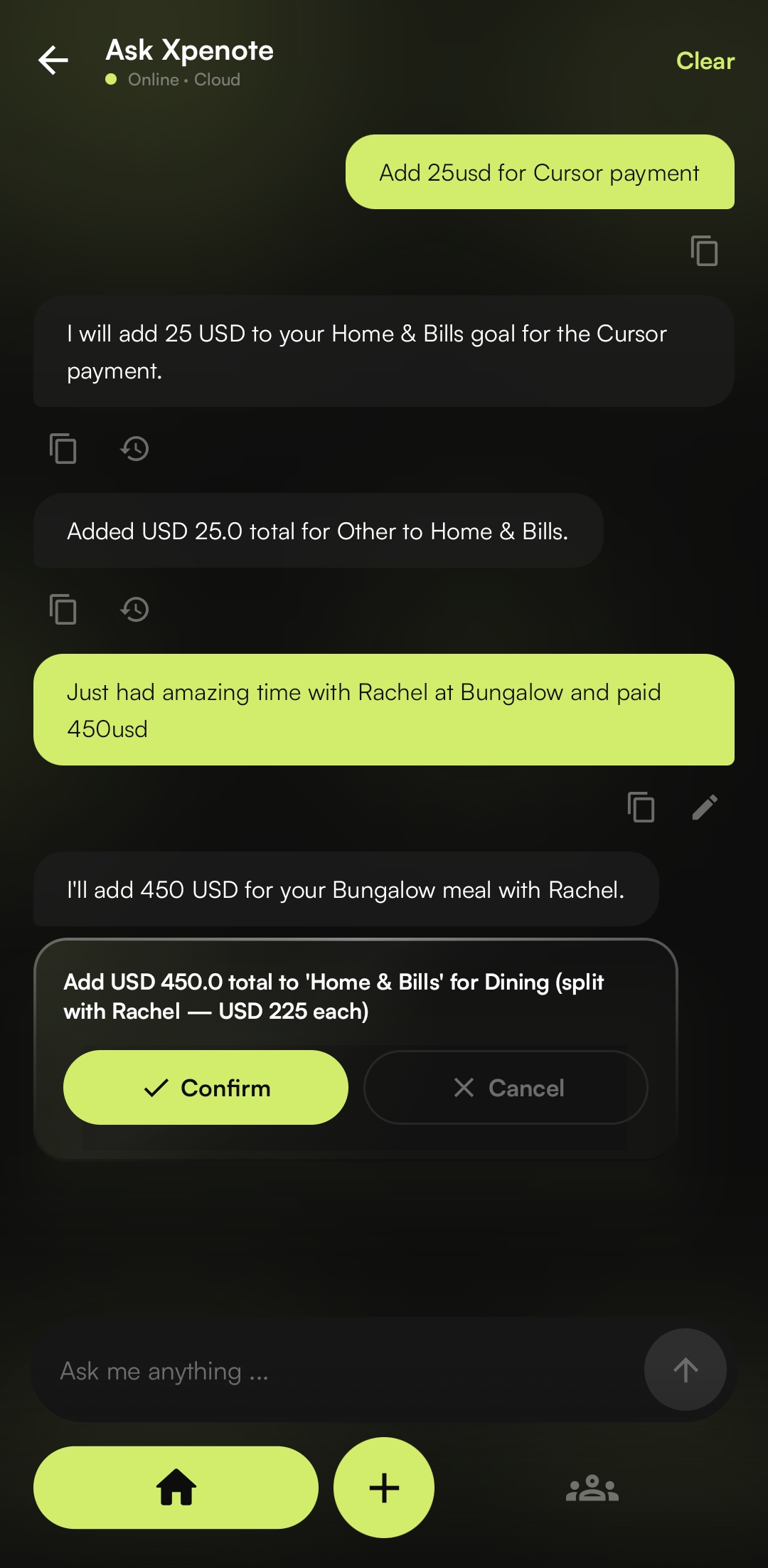
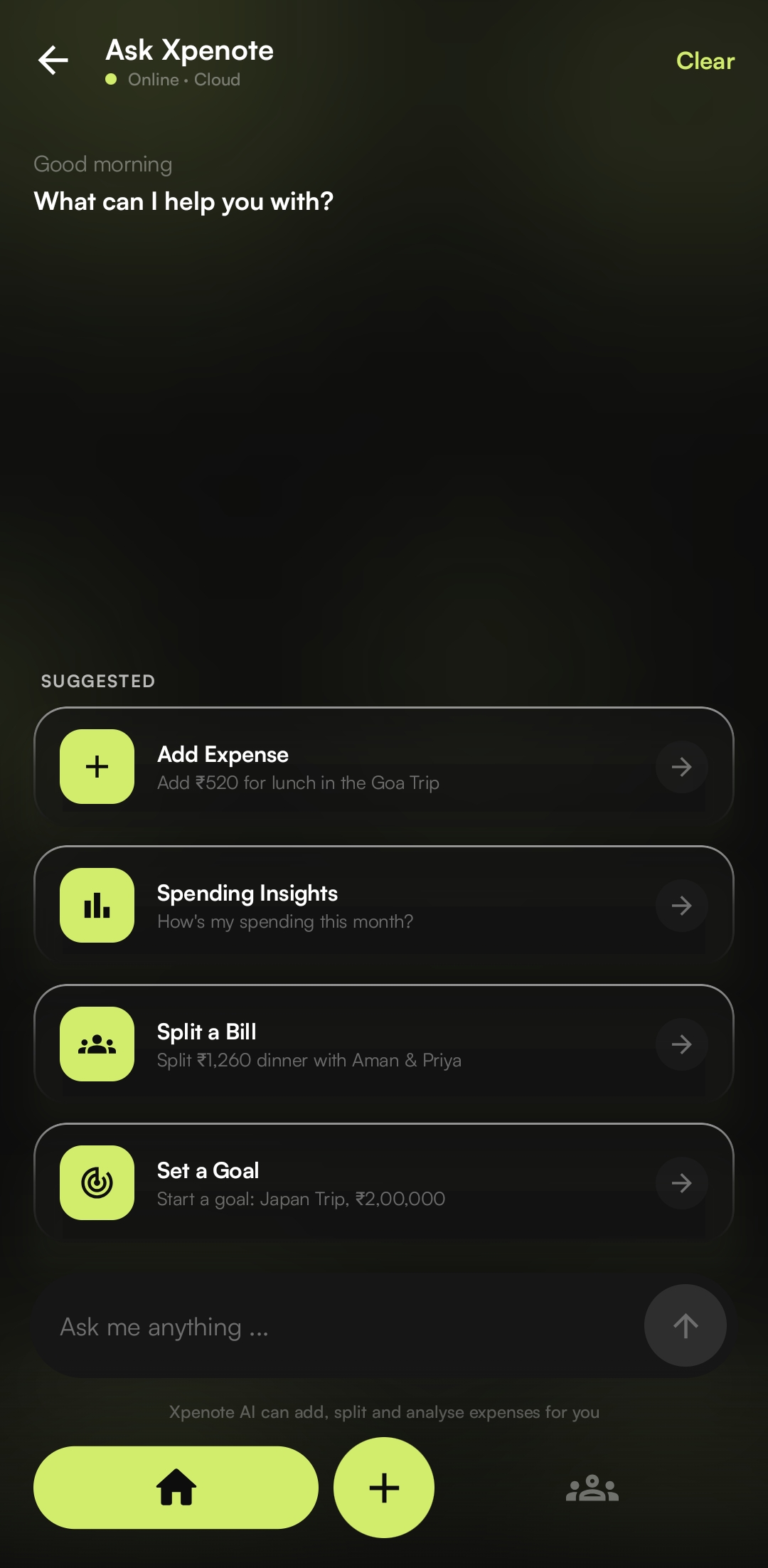
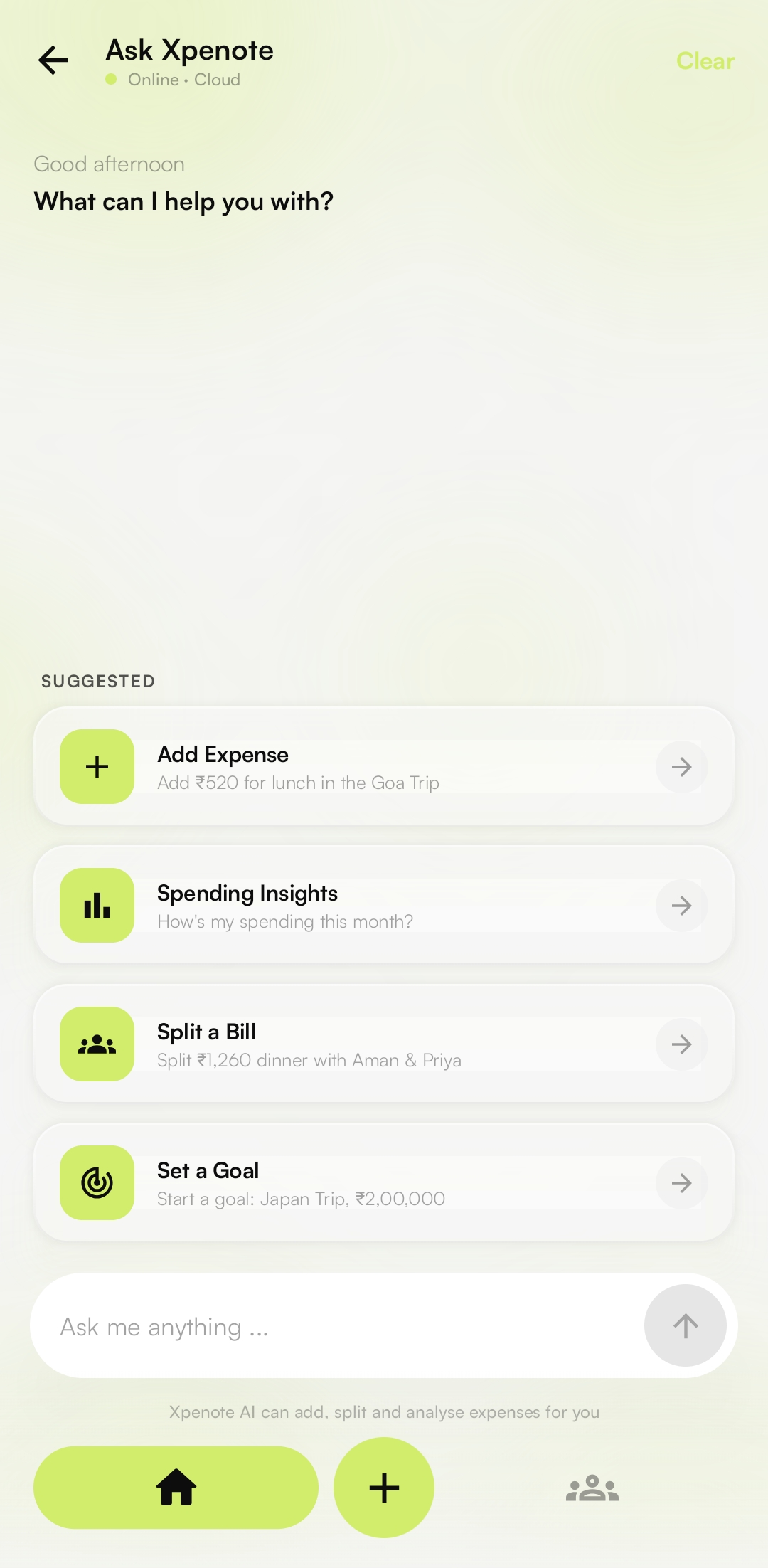
Type "Add ₹520 for lunch in the Goa Trip." The AI reads the amount, picks the category, and files it under the right goal. The same chat splits bills with friends and reads whole bank statements.
Most of the work happens in one chat box
Just text your
expenses.
Write it the way you'd say it out loud. Xpenote reads the amount, the category, the goal, and even who to split it with, then does the math and files it. No goal yet? It makes one on the spot.
See how Ask Xpenote works →
Your whole month,
in one view.
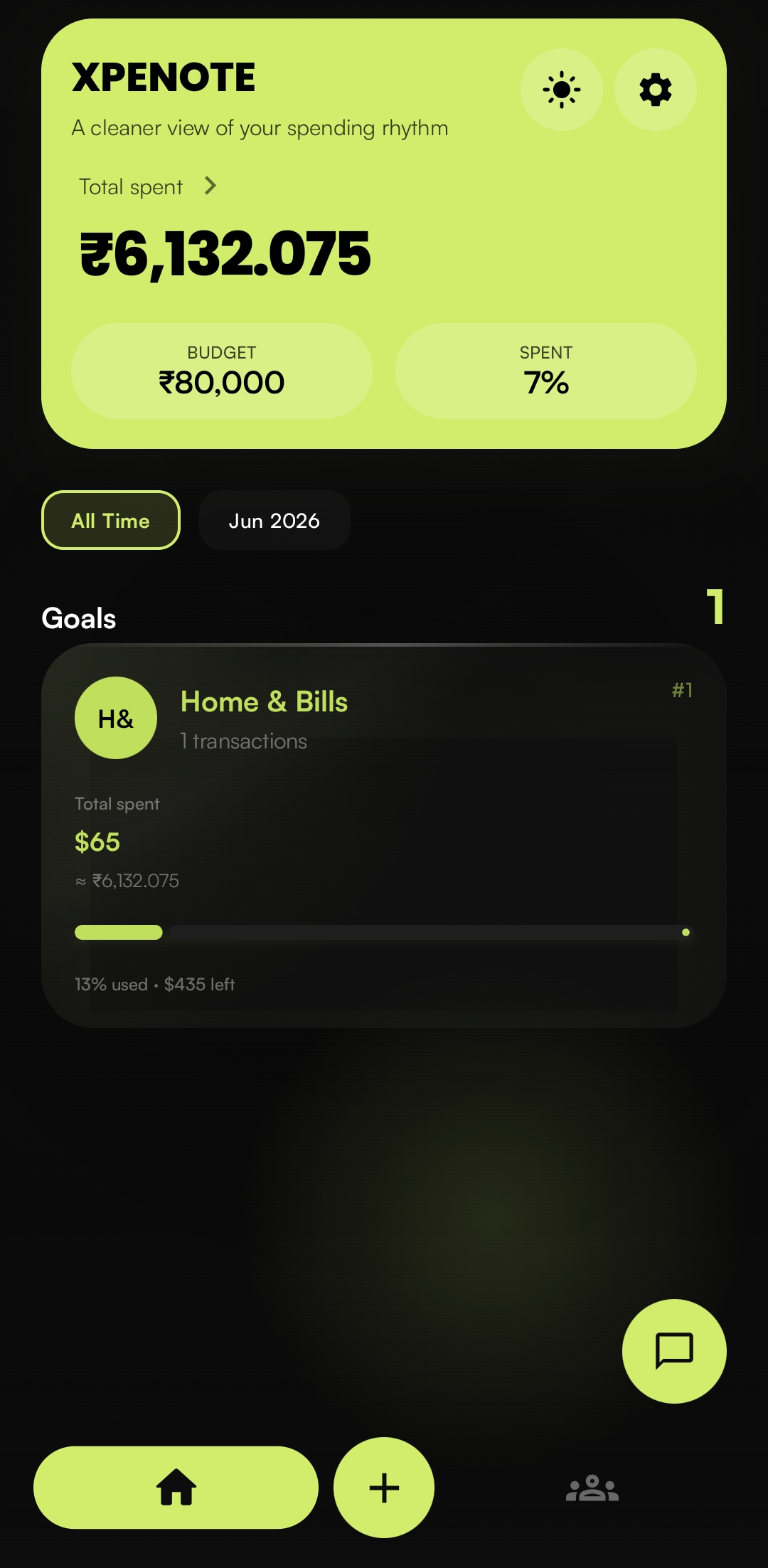
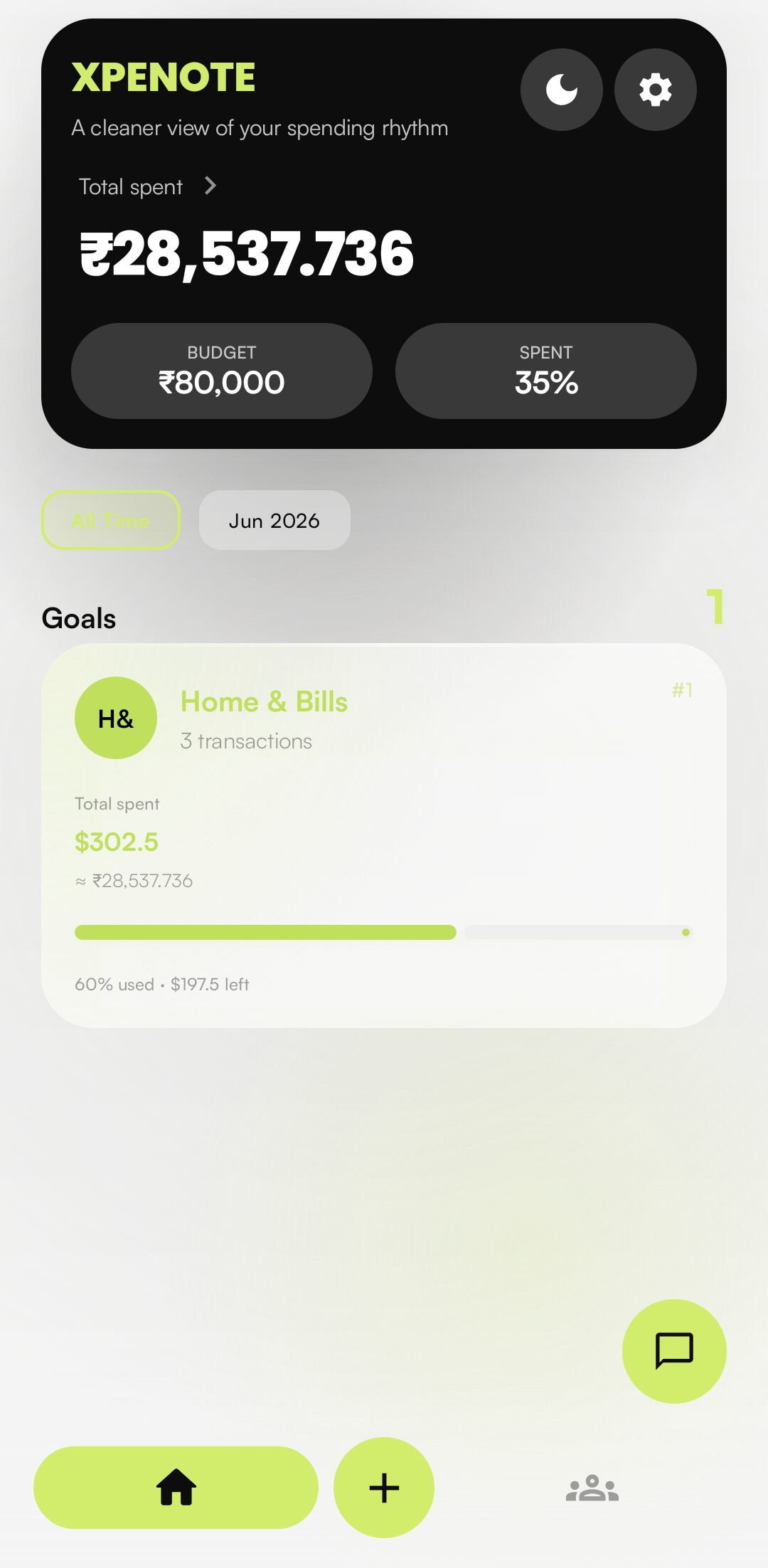
Total spent, budget, and what's left sit right at the top. Below that, every goal ranked and color-coded. Switch between this month and all time in one tap.
Filter All Time / month
Goals Ranked, colored, live totals
Each goal gets
its own colour.
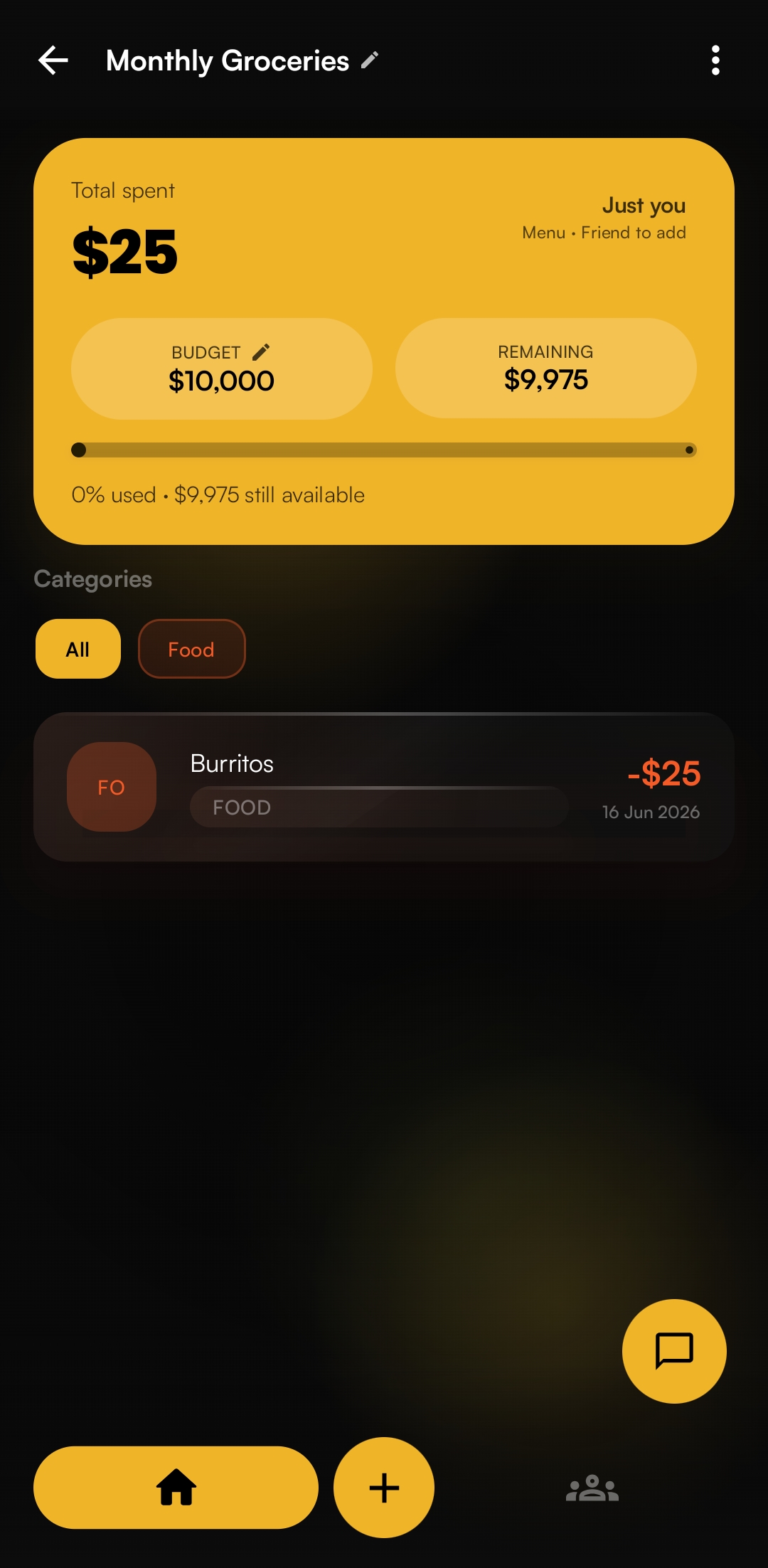
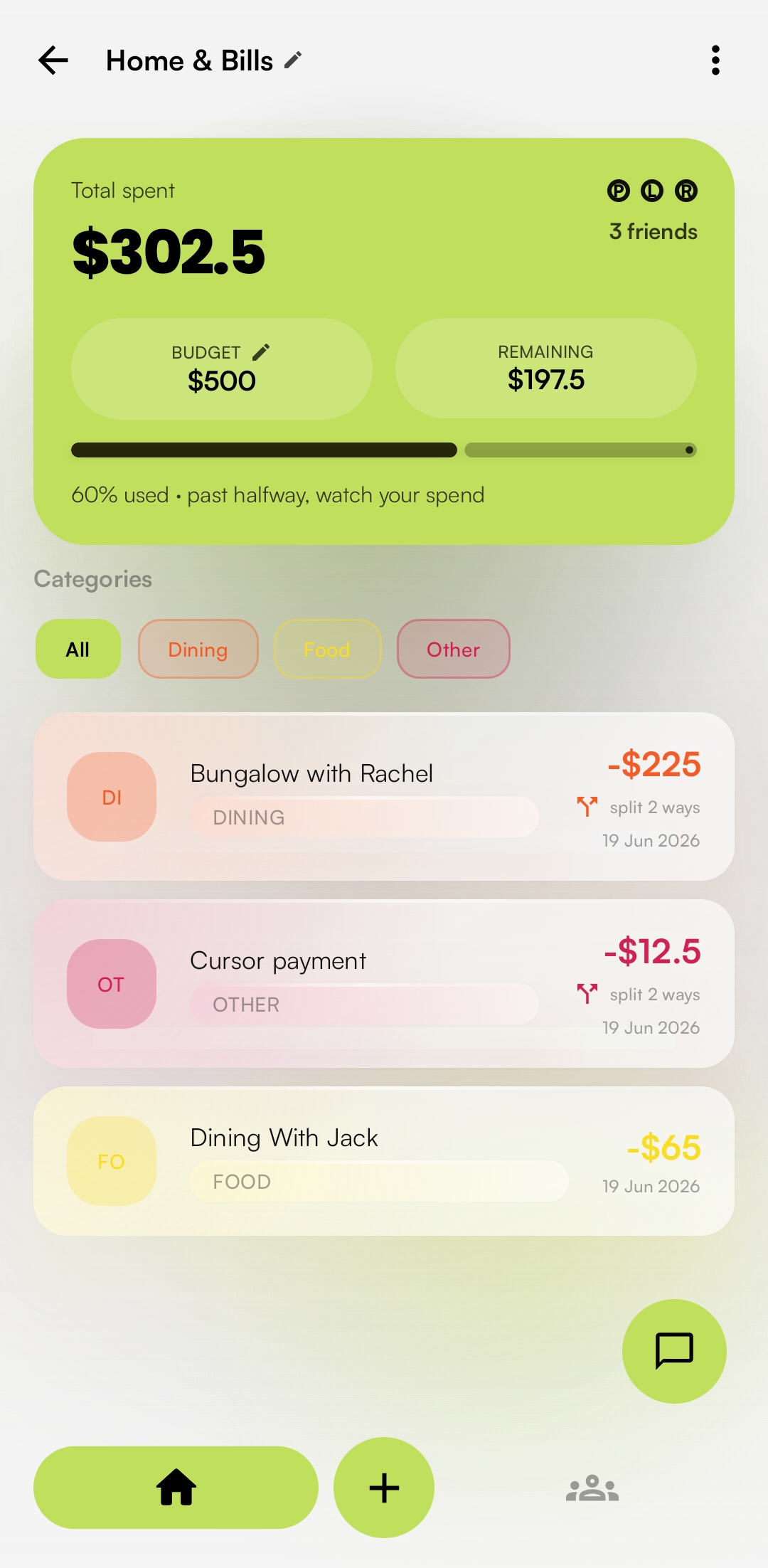
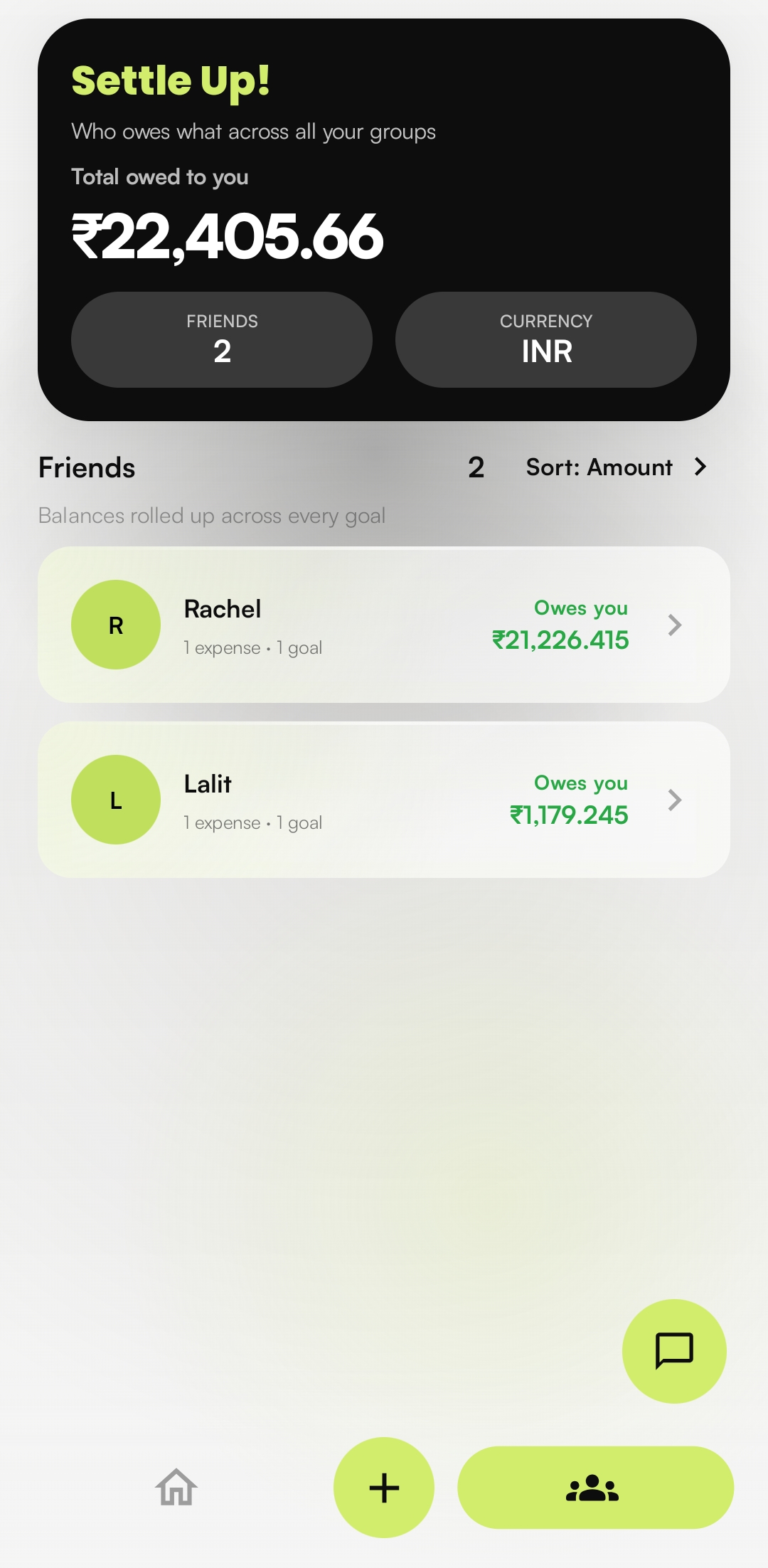
Open a goal and the whole screen picks up its colour, so you always know which one you're in. Inside, a per-category budget shows what's left, expenses group themselves by category, and you can see who still owes what.

A month of spends,
without the typing.
Attach a receipt photo, a PDF statement, or a bank CSV in the chat. Xpenote reads it and lists every transaction with an amount and a category. Long statements are read in batches so nothing at the bottom gets cut off.
Uncheck anything you don't want, then add the rest in one go. Nothing is saved until you tap the button.
The same lime, light or dark.
The lime accent runs through a deep-black dark theme and a clean light one. Pick either in Settings and the whole app follows, screen for screen.
Seven screens, start to finish.

Product roadmap
What's shipped, what's being built, and what's planned next.